


LightRoom Presets
Lightroom Presets: The Ultimate Guide to Pro Photos in One Click
Dec
Learn exactly what Lightroom presets are, why you need them, and how to use them to transform your photos from average to amazing—instantly. If you’ve ever wondered how your favorite creators get that perfect, consistent look on their photos, the secret is about to be revealed.
What Are Lightroom Presets? (Your Shortcut to Stunning Photos)
Ever wished you could make your photos look professionally edited with just a single click? That’s exactly what Lightroom presets do. Think of them as high-quality, super-powered photo filters that instantly apply a specific style or aesthetic to your images. They work by saving a complete set of editing adjustments—like exposure, color tones, contrast, and more—which you can then apply to any of your photos in seconds. The ultimate goal is simple: to save you a massive amount of time while creating a beautiful, consistent look across all your pictures.
Presets vs. Filters: What’s the Real Difference?
You might be thinking, “Aren’t these just like Instagram filters?” Not at all. While social media filters apply a basic, one-size-fits-all overlay, presets are far more advanced and professional. The biggest difference is that presets are fully adjustable. If a preset looks a little too bright or the colors aren’t quite right for your specific photo, you can easily tweak every single setting to get it perfect. This level of control ensures you maintain much higher image quality and achieve a truly custom look that filters simply can’t match.
Mobile & Desktop: Edit Anywhere, Anytime
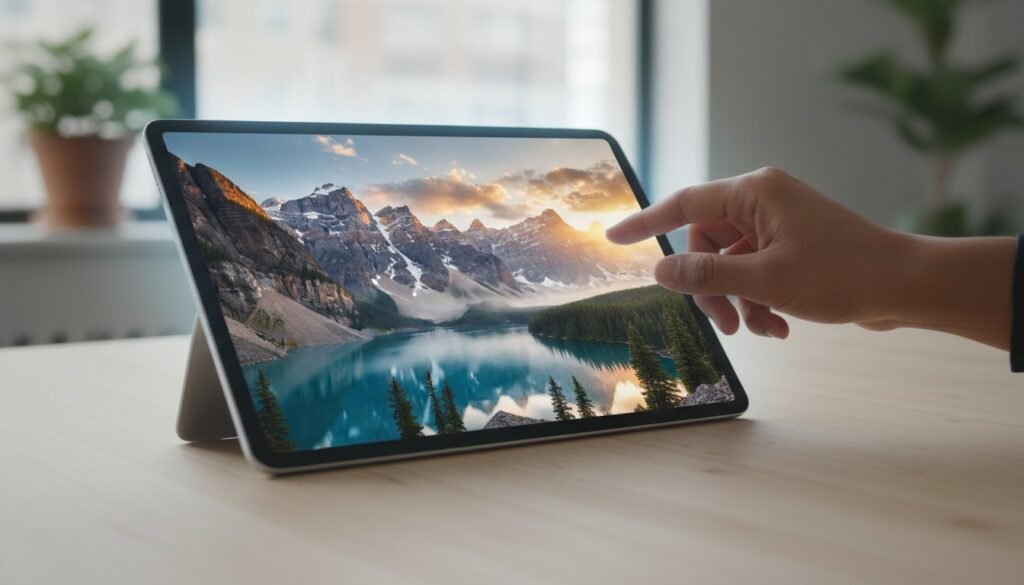
The best part about modern presets is their incredible versatility. You can use them on the go with the free Adobe Lightroom mobile app, making it easy to edit and post stunning photos directly from your phone. For those who prefer more control and precision, the same presets work seamlessly on the desktop version of Lightroom. Our premium packs always include files for both mobile and desktop, giving you the ultimate freedom to edit wherever you are. Ready to see what’s possible? Explore our Mobile & Desktop preset collections!
Why Use Lightroom Presets? 4 Game-Changing Benefits
Beyond just looking great, presets offer some incredible advantages that can completely revolutionize your photography workflow. They are the ultimate tool for photographers, influencers, and anyone who wants to elevate their images without spending hours behind a screen. Here are the four key benefits:
- Save Time: Stop wasting countless hours manually adjusting sliders for every single photo. Apply a preset and get a stunning result in a fraction of the time.
- Create Consistency: Achieve a cohesive, professional look across your entire Instagram feed, blog, or portfolio. A consistent style helps build your brand and makes your work instantly recognizable.
- Learn from the Pros: Presets are a fantastic learning tool. By applying a preset, you can see exactly which settings were adjusted to achieve that look, helping you understand the editing process better.
- Experiment with Style: Not sure what your signature look is yet? Presets allow you to easily experiment with different aesthetics—from moody and cinematic to bright and airy—to discover the style that truly represents you.
Before & After: See the One-Click Transformation
Words can only say so much. The true magic of presets is in seeing the dramatic change they can make with just one click. Below are a few examples showcasing how our presets can transform ordinary photos into gallery-worthy art. Notice how they enhance the mood, correct colors, and bring out the best in each image.
[Before & After Image Slider: Portrait Example]
Developer note: Insert interactive image comparison slider here.
[Before & After Image Slider: Travel/Landscape Example]
Developer note: Insert interactive image comparison slider here.
[Before & After Image Slider: Lifestyle/Product Example]
Developer note: Insert interactive image comparison slider here.
Finding Your Vibe: Popular Preset Styles Explained
Your choice of preset is what defines your unique photography style. To find the perfect match, it’s important to think about the subject of your photos and the mood you want to convey. Whether you’re capturing precious family moments, epic travel adventures, or clean product shots, there’s a preset aesthetic for you. Let’s explore some of the most popular looks.
Bright & Airy: For a Light, Clean, and Fresh Look
This timeless style is a favorite among portrait photographers, wedding professionals, and lifestyle bloggers. Bright & Airy presets create beautifully soft whites, enhance natural light, and make colors look vibrant yet gentle. They give photos an elegant, dreamy, and high-end feel that is always in demand.
Dark & Moody: For a Dramatic, Cinematic Feel
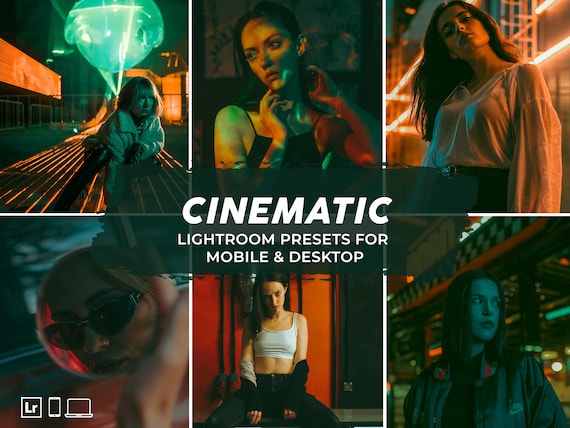
If you want to create a powerful, emotional atmosphere, the Dark & Moody style is for you. These presets deepen shadows, desaturate certain colors, and add a rich, cinematic quality to your images. This look is ideal for dramatic landscapes, moody portraits, and urban or street photography.
Film & Vintage: For Nostalgic, Timeless Charm
Capture the authentic, nostalgic feel of classic film photography with Film & Vintage presets. These presets are designed to replicate the beautiful color palettes, subtle grain, and timeless character of old film stocks like Kodak Portra or Fuji. They are perfect for storytelling and adding a touch of soulful charm to your photos.
Vibrant & Tropical: For Bold, Eye-Catching Travel Photos
Make your travel photos absolutely unforgettable with Vibrant & Tropical presets. This style is designed to make colors pop, especially the brilliant blues of the ocean and the lush greens of the jungle. It’s the perfect choice for creating scroll-stopping images from your beach vacations and sunny adventures. Ready to find your signature look? Find the perfect style for your photos today!
How to Choose the Right Presets for You
With so many amazing styles available, how do you pick the right one? The key is to start by analyzing the types of photos you love to take and the look you want to achieve. Look for preset packs that showcase plenty of before-and-after examples on photos that are similar to yours. For the best value and variety, consider starting with a bundle that offers multiple styles. Most importantly, don’t be afraid to begin with a popular, versatile pack to get started on your editing journey.
Free vs. Paid Presets: Is it Worth Paying?
While there are many free presets available online, it’s important to understand the difference. Free presets can be great for practicing, but they are often lower quality, inconsistent, and lack any support if you run into trouble. Paid, professional presets offer significantly higher quality, have been tested on a wide range of images, and come with installation guides and customer support. Investing in a quality preset pack is an investment in your photography and your brand, ensuring you get stunning, reliable results every time.
Frequently Asked Questions
Do Lightroom presets work on any photo?
Yes! High-quality presets are designed to work on a wide variety of photos taken in different lighting conditions. However, since every photo is unique, you may need to make small adjustments to the exposure or white balance sliders after applying a preset to achieve the perfect look.
Is using presets considered cheating in photography?
Absolutely not! Presets are simply a tool to create a desired look and speed up your workflow. Professional photographers around the world use them to maintain consistency and save time. Editing is part of the creative process, and presets are a smart and efficient way to do it.
Can I use Lightroom presets on my phone without a subscription?
Yes, you can! Our mobile presets are designed to work with the free Adobe Lightroom mobile app. You do not need a paid Adobe subscription to use them on your phone.
How do I install presets in Lightroom Mobile and Desktop?
Installation is simple! All of our preset packs come with a detailed, step-by-step guide for both mobile (DNG files) and desktop (XMP files) to make the process quick and easy, even for absolute beginners.
Will the preset look exactly like the example?
The final look depends on the lighting, colors, and quality of your original photo. The examples show what the preset is designed to do, but you can always make minor tweaks to perfectly match it to your image. That’s the beauty of presets over simple filters!
What’s the difference between DNG and XMP files?
DNG files are for use with the free Lightroom Mobile app, while XMP files are for the desktop versions of Lightroom (Classic and CC). Our packs include both file types so you can edit on any device.
Are you ready to stop spending hours editing and start creating beautiful, professional photos with a single click? It’s time to unlock your creative potential and give your images the stunning look they deserve. With instant downloads, lifetime access, and files for both mobile and desktop, you have everything you need to succeed. Join over 500,000 photographers and creators who trust our presets to make their work shine. Transform Your Photos Now! Shop Our Best-Selling Presets
